RCW Guidelines
Restrictive Change Window Guidelines (Revised January 2017)
Exception: Restrictive Change Window (RCW)
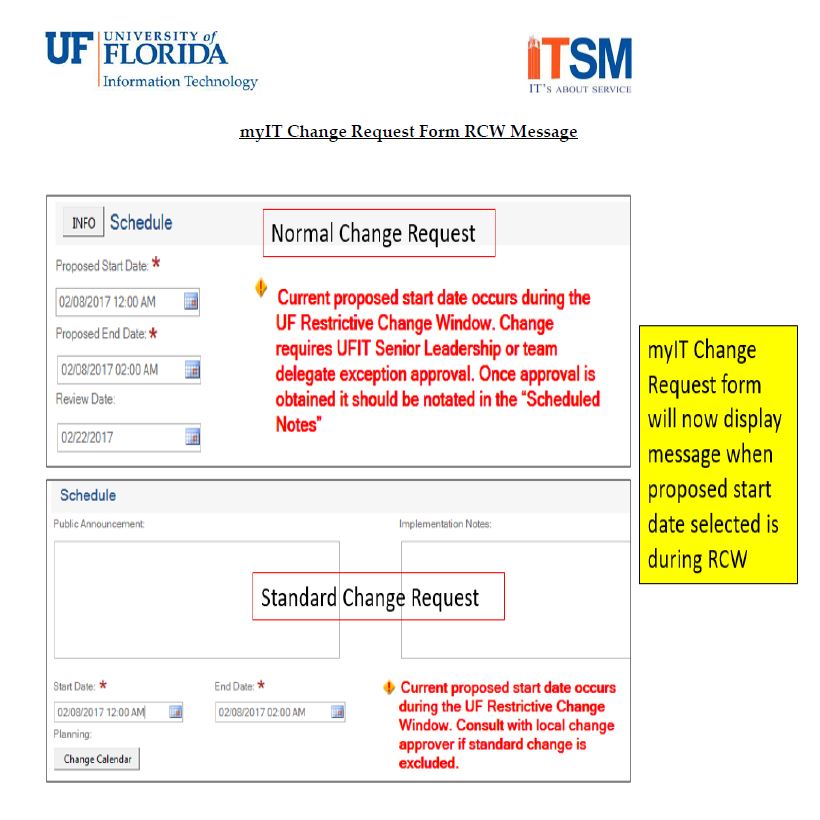
The goal of the RCW is to ensure availability of services during the most critical dates of the academic calendar. As a result, restrictive time frames for specific academic events have been established. During a Restrictive Change Window, Production environment service and application changes should not be scheduled. Only make production environment changes that are deemed essential to either the running of or fixing of a problem with a particular service or application.
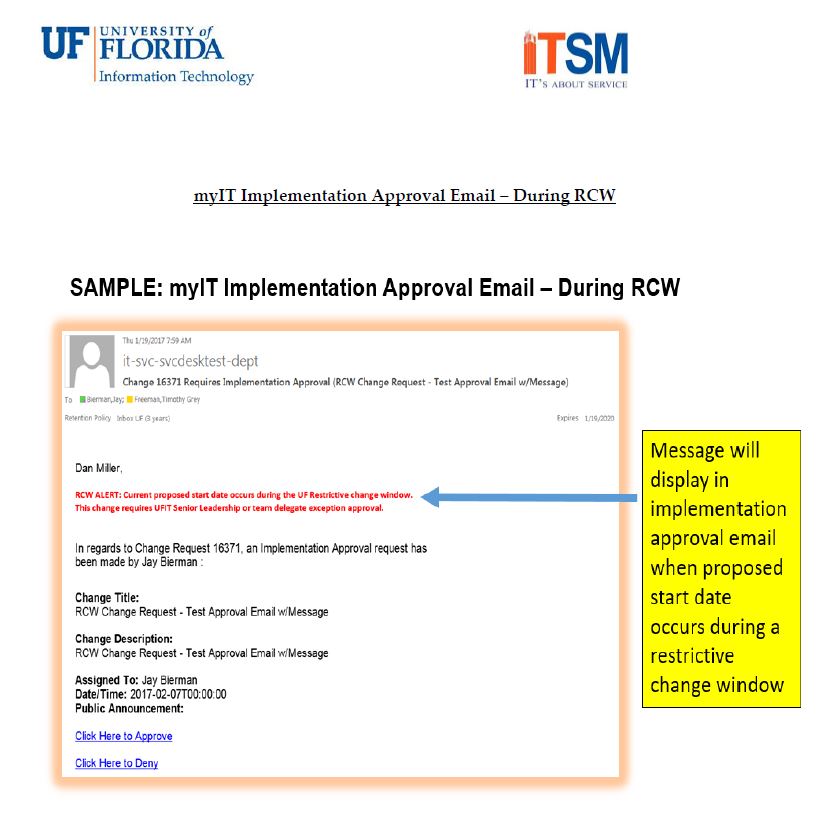
The UFIT Senior Leadership team and/or their delegates are the only ones who can provide exception approval of normal changes that take place during the Restrictive Change Window. The process to request an exception should not bypass the established Change Management process for Normal Changes. If in doubt, contact the change manager.
- Non-production environments are considered out of scope, unless the failure of this service, due to a change, will impact a production environment
- Emergency changes to resolve priority 1 & 2 production incidents are excluded. Verbal approval from MIO still required for Emergency changes
- Each UFIT team has designated which standard changes are excluded during a RCW and the team change approver(s) should be consulted prior to submitting a standard change
- RCW calendars are posted on the ITSM website.