
Compute nodes are meant for performing work under the batch system. As such, direct interactive access to compute nodes is prohibited.
HiPerGator Usage Policies
Login Nodes
 Login nodes are intended to be used for managing jobs or data, editing files, and similar tasks. Short interactive tests consuming no more than a total
of 16 cores, 64GB of memory for up to 10 minutes are permitted as long as they do not impact other users. UFIT Research Computing reserves the
right to terminate any processes outside of the guidelines or any processes thatimpact the node performance or interactive user experience on the login nodes. If test requirements exceed the above resource limits or processes
need to run across nodes (e.g. parallel computing with MPI), then users must request an interactive session on the development partition.
Scheduler/Job
Scheduled jobs are intended as the main mechanism for data analyses on HiPerGator. Investment QOS jobs have the priority in the queue. There are no guarantees for job start time or resource availability in the burst QOS. There is no burst QOS for GPU jobs. Processes that frequently poll the scheduler for queue or job status are not allowed. Inefficient job requests that result in significant unused resources or limit the availability of limited resources may be terminated without warning.
Jobs must only use resources assigned by the resource manager. Jobs which request resources, but do not use them may be canceled with no warning. Jobs which request GPUs but do not use them or use GPUs that are not assigned by the resource manager will result in job termination and account suspension.
Jobs and Processes
Interactive jobs may only be run on a development server within an interactive SLURM session; see the Development & Testing wiki page for more information on development servers and the procedure to request a session.
No interactive jobs are allowed on the load-balanced login servers. These servers are accessed via ssh as hpg.rc.ufl.edu. They are the primary gateway to UFIT Research Computing resources, provide a software environment identical to that found on the compute servers, and are to be used only for job and file management activities such as:
- Submitting jobs to the batch queues
- Checking the status of jobs
- Managing files and data
Because of the importance of these servers to a large number of users, they must not be used for running your programs. The interactive development servers are available for that purpose. Users found running jobs interactively on the login servers may lose access to the cluster for up to thirty days. If a second offense occurs, the user’s account may be permanently disabled.
If you need to submit jobs in batches of more than 10,000 jobs at one time (with or without job arrays), you must contact us for prior approval so that we can be sure the jobs will be submitted and run in an efficient manner. A large number of jobs of very short duration can have a negative impact on the batch system and may adversely affect other users.
If you develop code (i.e. the standard edit, build, test cycle), there are several machines on which you can do so and run short, interactive tests; see the Development & Testing wiki page for more information.
Storage
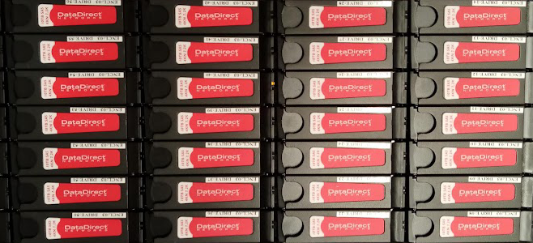
Storage provided by UFIT Research Computing is only for research and educational data, code, and documents for use on HiPerGator and with HiPerGator services. UFIT Research Computing creates, modifies, and enforces quotas based on group allocations. In addition, UFIT Research Computing reserves the right to delete, move, or otherwise make data unavailable on any storage system as deemed necessary by UFIT Research Computing personnel to maintain the overall quality of service.
While UFIT Research Computing makes every effort to maintain the availability and integrity of our storage systems, the storage systems are
not backed up by default. Users are responsible for purchasing backup services or setting up backups of their data.
Each HiPerGator user is provided 40GB of home directory storage. The home area is intended for source code, scripts, and project documents and cannot be used for Input/Output (I/O, i.e. Reading or Writing) from jobs and programs. Limited file recovery is available via daily snapshots of home areas for one week and weekly snapshots for three additional weeks.
Blue Storage
Blue is the main shared storage. Jobs and programs are expected to perform their I/O and write their outputs to Blue storage. An investor may request a free Blue storage quota increase for up to three months once per year. Additional ‘burst’ storage with a recurring 30-day grace period may be allocated based on project need.
An active Blue allocation is required to acquire a compute allocation.
Orange storage
Orange storage is intended to be used for long-term retention of data that is not actively involved in job computations and for light-duty services like static data serving. For more information about the static data services, please submit a service request at https://support.rc.ufl.edu
An active Blue allocation is required to acquire an Orange allocation.
Local Scratch Storage
Local job scratch storage on compute nodes is configured automatically for each job. There is no quota, and the local scratch data for the job is removed when the job ends. UFIT Research Computing will make a reasonable effort to manage free space on local scratch storage, but user processes may fill up local storage. UFIT Research Computing is not responsible for job failures resulting from full local scratch.
Licensed Software
Except for basic software used by most researchers, UFIT Research Computing does not buy licensed software.
Individual research groups can buy software, which UFIT Research Computing will install and maintain. Staff will ensure that only members of the licensed group of users have access to the software. Software can be purchased directly from the vendor, and some may be purchased through Software Licensing Services at better prices.
- SAS and Matlab are examples of common licensed software. Research groups must show that they have purchased a license to be given access to the software installed on HiPerGator.
- Other examples of shared software are Gaussian and VASP, which are purchased by a collection of faculty that each contribute a part of the license fee.
- Software for geographic information systems (GIS) is handled by the UF Geoplan Center.
Software that is restricted under ITAR/EAR must be handled in accordance with the policies outlined in Export Compliance.
Contact Research Computing at support@rc.ufl.edu for more information and to explore special cases.
Service Level Expectations
There are three categories of service to be considered. Please read these service descriptions carefully.
System access and stability
UFIT Research Computing will make every effort to maintain a stable environment, but maintenance activities may cause unexpected interruptions of service. Please be aware that:
- Maintenance activities will be carried out during regular maintenance windows (before 8:00am and after 5:00pm) as much as possible.
- Some emergency maintenance may be carried out within short time of a warning at any time during the day.
- Check the stoplight on the website home page for system status; it will be updated if an issues arises that affects the majority of users.
- When there is a major unplanned outage, the UFIT Alerts page will also show the status of the system.
- To access the system, you will need Gatorlink or Federated Access credentials. Collaborators of UF researchers can apply for credentials to access systems operated by UFIT Research Computing.
- Login nodes should be used as the entry point to the system. Running data analysis or debugging of of software should be done on the GUI and dev nodes that are designed for this work, in which the scheduler will provide you with dedicated resources. This way your work will not adversely impact others, and the activity of others will not adversely impact your work.
- Use the data transfer nodes to move large data sets in and out of the system. View options and instructions for doing so on the Transfer Data wiki page.
The system provides home directories for users on a small file system that is not intended for high performance work. The /ufrc file system is a high-performance file systems that allows all 50,000 cores to work at the same time.
- The pathname for your files on /ufrc will be organized by group as follows: /ufrc/<groupname>/<username>
- For collaboration within a group and between groups, please use the directories: /ufrc/<groupname>/shared
- View the Storage policy section for details on options and procedures to optimize use of storage space.
A long list of applications is available on HiPerGator, which can be viewed on the Installed Software wiki page. Usage documentation is available for many applications, but will not exist for all installed software.
Not all applications have been thoroughly tested. If you find that something does not work, open a ticket to report the issue. Please note that we may not be able to fix the problem immediately, as there may be other dependencies.
- If you need an application and it is not available, please open a support ticket to request that it be installed.
- New software will be installed as soon as possible. Installation of simple libraries and tools usually takes a few days to complete.
- You may request for more complex applications, with multiple dependencies on multiple libraries and frameworks, to be installed. However, if the work required of UFIT Research Computing staff to complete the installation exceeds 4 hours, you will be contacted about purchasing our consulting service, as intended for such complex application and software support tasks.